
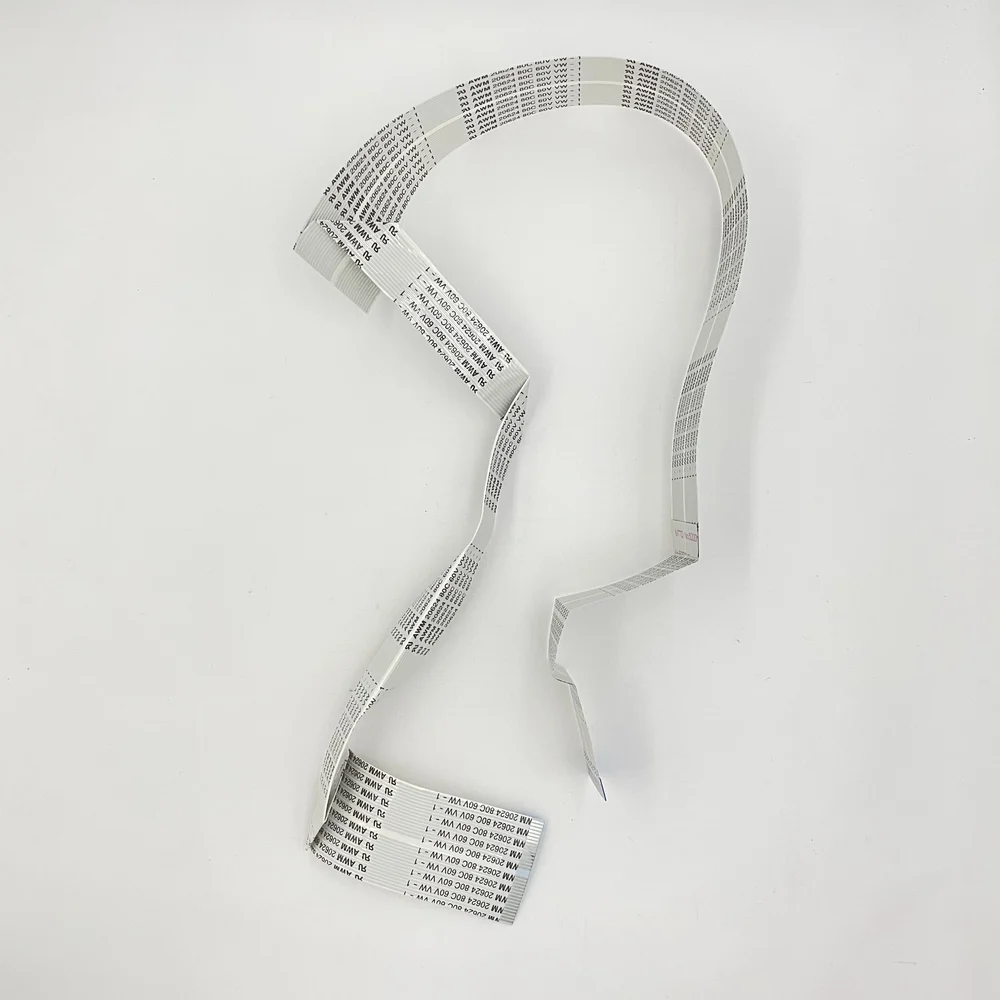
Description
Control Panel Display Panel Cable (24-Pin)
This cable is a significant component within the internal system of the printer, used for the connection of the control panel with the logic board. The cable serves as a communication link between the display screen, keypad buttons, and the internal system of the printer. When the cable gets damaged or becomes loose, the display panel of the printer may not work, display error messages, or may not work properly. The replacement of the faulty display panel cable can solve the problem, bringing the printer back to normal working order.
✅ Easy to install—technical skills needed, केबल की स्थापना योग्य कर्मियों द्वारा की जानी चाहिए, Restore your printer’s functionality with the need for expensive repairs. No Soldering Required – Direct Fit.
FAQ
1. What is the purpose of the display panel cable?
It connects the control panel display and keypad to the printer’s motherboard.
2. Which printers are compatible with the cable?
It is compatible with Canon MF232, Canon MF241d, Canon MF244dw, and Canon MF221d printers.
3. When should the cable be replaced?
When the display is not working, or the keypad is not responding.
4. Is the cable easy to install?
Yes, the cable is easy to install, as it is intended for replacement by a technician.
Common Issues Resolved: “It Connects the control Panel to the Mainboard” or “No Power, Ideal replacement for Damaged, Torn, or faulty Panel cables”- “Panel Not Working / Flickering / No Panel Signal” Errors Helps maintain Print alignment and Paper Printing Issue.
Printer Partner provides both original and premium-quality compatible parts, depending on your requirement. https://www.instagram.com/printerpartner.in/
https://www.facebook.com/profile.php?id=61578304335545
We also offer Printer Rental Services across Delhi–NCR along with professional Toner Cartridge Refilling solutions. For enquiries, contact us at burmansystems2003@gmail.com
Note: – No Replacement- No Warranty- No Guaranty – Non-Returnable Item




Reviews
There are no reviews yet.