
Printer Ink Maintenance Box – Maintenance Cartridge
Maintenance Box is an important part of inkjet printers that is used to store waste ink printed during the normal use of inkjet printers. Every time the inkjet printer cleans the printhead or performs an automatic maintenance task, the extra ink is stored in the Maintenance Box. Maintenance Boxes are popular with inkjet printer models, particularly those with Epson, Canon, Brother Ink Tank or EcoTank technology, which are widely used for domestic, office, or business settings. When the Maintenance Box is already full, it triggers a message or alert, causing the printer to shut down until it has been replaced. Replacing it on schedule will prevent leaks, breakages, or sudden shutdowns.
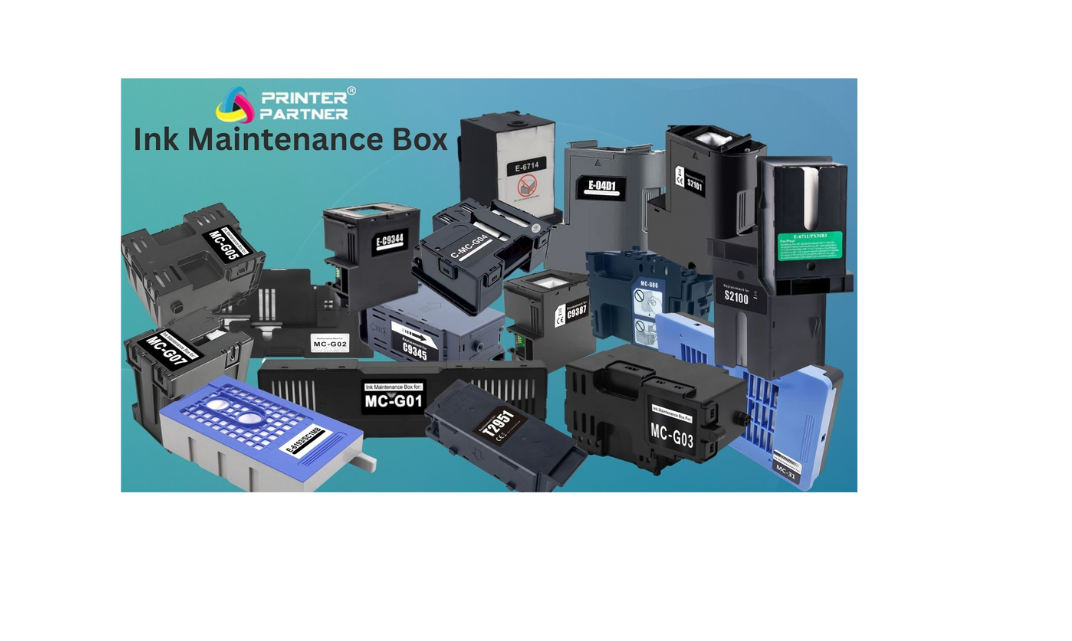 Printer Maintenance Box – Complete Guide
1. What is a Maintenance Box?
A Maintenance Box is an important printer component designed to collect waste ink generated during printer operations. When a printer performs head cleaning, nozzle flushing, or automatic maintenance, excess ink is drained into the Maintenance Box. This process helps keep the internal parts of the printer clean and prevents ink leakage, ensuring smooth and reliable printing performance.
2. Which Printers Use a Maintenance Box? (Type of Printer)
Maintenance Boxes are mainly used in inkjet printers, especially Epson, Canon & Brother Printer Ink Tank and EcoTank series. These printers are commonly used in offices, businesses, and commercial environments where high-volume printing is required. Laser printers generally do not use a Maintenance Box, as their printing process is different.
3. What Happens if the Maintenance Box Is Not Replaced?
If the Maintenance Box becomes full and is not replaced on time, the printer may display an error message or completely stop working. In some cases, waste ink can overflow and damage internal components, leading to costly repairs. Ignoring this issue can significantly reduce the printer’s lifespan.
4. Other Names for Maintenance Box
A Maintenance Box is also known by several other names, such as:
-
Waste Ink Box – Ink Maintenance Tank – Ink Absorber Box – Waste Ink Pad Box – Waste ink collection – Maintenance Cartridge Etc.
5. Can Users Replace the Maintenance Box Themselves?
Yes, in most compatible printers, the Maintenance Box is user replaceable. No technical skills are required. Users can easily remove the old box and install a new one by following simple instructions, making it a quick and hassle-free process.
6. What Is the Life of a Maintenance Box?
The life of a Maintenance Box depends on printing usage and maintenance cycles. On average, it can last between 10,000 to 30,000 prints. When the box reaches its capacity, the printer automatically alerts the user with a warning message.
7. Price Difference Between Original and Compatible Maintenance Box
There is usually a 30% to 60% price difference between original and compatible Maintenance Boxes. High-quality compatible Maintenance Boxes perform the same function as original ones and are a cost-effective option for users looking to reduce maintenance expenses.
8. Benefits of Buying from www.printerpartner.in
Buying a Maintenance Box from Printer Partner through www.printerpartner.in / https://www.printerpartner.in/product-category/waste-box-maintenance-cartridge/ensures genuine quality, correct model compatibility, and fast delivery across India. Customers can choose between original and compatible options based on their budget.
Printer Partner is known for reliable printer spare parts and strong customer support, making it a trusted choice. With secure ordering and quick shipping, Printer Partner helps keep your printer running without unnecessary downtime.
Printer Partner provides both original and premium-quality compatible parts, depending on your requirement. https://www.instagram.com/printerpartner.in/
https://www.facebook.com/profile.php?id=61578304335545
We also offer Printer Rental Services across Delhi–NCR along with professional Toner Cartridge Refilling solutions. For enquiries, contact us at [email protected]